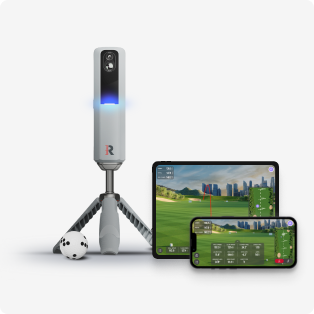
If you’re new to launch monitor data, opening up all 15 metrics on the Rapsodo MLM2PRO can feel overwhelming.
Where do you even start?
According to top-ranked golf coach Mark Blackburn, the answer is simple: focus on the most important metrics first, then build from there as your game improves.
Here’s a step-by-step guide to help beginners understand launch monitor data without overcomplicating it.
1. Start with Carry Distance
If you only track one metric, make it carry distance.
Carry distance tells you how far the ball travels in the air. For most golfers—especially beginners—this is the foundation of distance control.
Ask yourself:
- How far does your 7-iron actually carry?
- Are your distances consistent?
Before worrying about spin rates or launch angles, you need a reliable baseline. Carry distance gives you that.
2. Add Club Speed
Once you’re comfortable with carry distance, start tracking club speed.
As your swing improves, your speed will likely increase—but speed alone isn’t enough. You need to understand how it impacts performance.
Pay attention to:
- Does higher club speed increase your carry distance?
- Does it improve or hurt your dispersion?
- Is your contact quality consistent?
Tracking club speed alongside carry helps you balance power and control.
3. Understand Your Club Path
Next, focus on club path, one of the most important swing metrics.
Club path describes the direction your club is traveling at impact:
- Positive = in-to-out path
- Negative = out-to-in path
This directly affects your shot shape.
Understanding club path helps answer:
- Why am I hitting draws?
- Why do I slice or fade the ball?
- Why is my dispersion changing?
For beginners, this is where true swing awareness begins.
4. Check Launch Direction
Launch direction shows where the ball starts immediately after impact.
When combined with club path, it helps you understand what your clubface is doing—without needing advanced metrics.
This is where ball flight starts to make sense:
- Start line + path = shot shape
- Cause and effect become easier to identify
5. Compare Club Speed to Ball Speed
Now it’s time to evaluate ball speed.
Ball speed tells you how efficiently you’re transferring energy to the ball. You might swing fast, but if ball speed is low, you’re losing performance at impact.
This is where many golfers realize:
“I’m swinging hard but not getting results.”
What is Smash Factor?
Smash factor = Ball Speed ÷ Club Speed
- Driver benchmark: 1.50 (ideal)
Smash factor measures quality of contact, not just effort. It’s one of the best indicators of efficiency in your swing.
6. Layer in Advanced Metrics (As You Improve)
Once you’ve built a solid foundation, you can start analyzing more advanced data.
Descent Angle
- Irons: ~50° for better stopping power
- Driver: <40° for more roll and distance
Launch Angle
- Wedges: Lower launch, higher spin (control)
- Driver: Higher launch, lower spin (distance)
At this stage, you’re optimizing performance—not just building consistency.
The Big Takeaway
The biggest mistake beginners make with launch monitor data is trying to analyze everything at once
Mark Blackburn’s approach keeps it simple:
- Start with carry distance
- Add club speed
- Learn club path
- Understand launch direction
- Evaluate ball speed and smash factor
- Introduce advanced metrics over time
The power of the Rapsodo MLM2PRO isn’t just that it provides 15 data points—it’s that it grows with you as a golfer.
Start simple. Build understanding. Add complexity when you’re ready.
About Mark Blackburn
Mark Blackburn is one of the most respected golf instructors in the world and has been ranked the #1 Teacher in America by Golf Digest since 2024. He works with elite PGA TOUR professionals and competitive amateurs, using data-driven coaching to improve performance.
As the founder of Blackburn Golf, he combines technology, biomechanics, and on-course strategy to develop championship-level players.